

 Everblog logo
Shop at Everblog through our affiliate link.
Everblog Review: Is This Smart Family Calendar Worth Buying?
Keeping track of everyone's appointments, school activities, grocery lists, and household chores can get surprisingly complicated. A calendar on the wall helps, but it doesn't always keep everyone in the family on the same page. That's where Everblog's smart digital calendars caught my attention.
Everblog offers two main products: the 13.4-inch FridgeCal™ and the larger 21.5-inch HomeCal™. Both are designed to bring family schedules and everyday planning together in one place.
I looked through the product details, features, pricing, and customer feedback to see what makes these devices different and what buyers should consider before purchasing.
Disclosure: This article contains an affiliate link. BuyReviewWise may earn a commission if you purchase through the link, at no additional cost to you.
What Is Everblog?
Everblog makes smart digital calendars designed to help families organize their daily lives. Rather than relying on separate paper calendars, phone reminders, and handwritten shopping lists, the idea is to put schedules, chores, and meal planning on a shared screen.
What makes the concept interesting is that these devices go beyond displaying dates. Depending on the model and feature, they can synchronize calendars, organize household tasks, track food inventory, and help with meal planning.
For a busy household, having that information visible in a central location could make everyday planning easier.
1. Everblog 13.4-inch FridgeCal™ Review
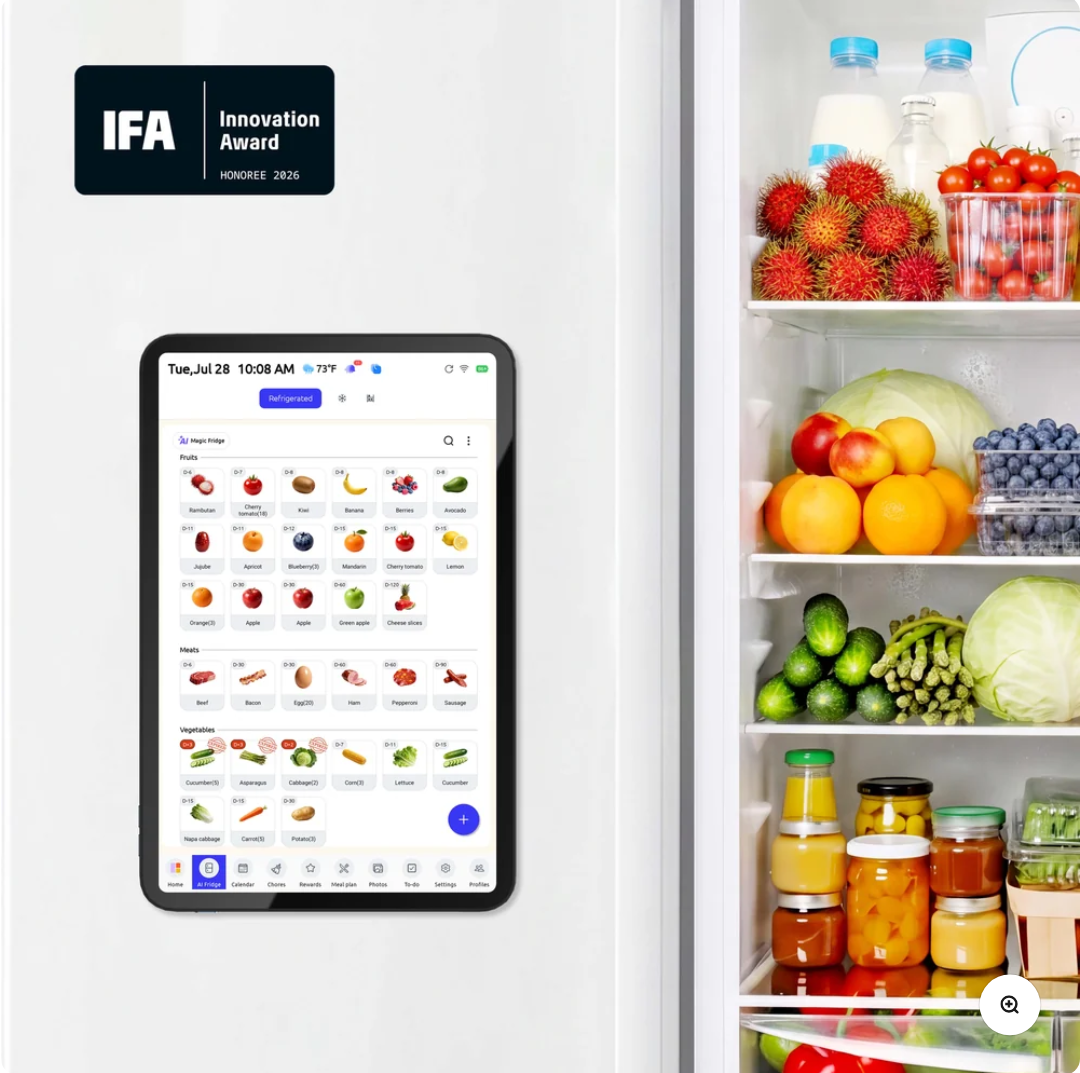
The FridgeCal is the more compact option, designed to attach to a refrigerator or another compatible surface.
Its magnetic, cordless design is one of its main selling points. Instead of needing a permanent spot on a desk or wall, it can sit where family members are likely to see it throughout the day.
What stands out?
- Shared family calendar: Keep appointments and activities visible in one place, with calendar synchronization.
- Food tracking: The system includes food inventory features and expiration reminders.
- Meal planning: Use meal-planning tools, recipes, and shopping lists to organize grocery trips.
- Chore charts: Assign household tasks and track progress through an interactive system.
- Rechargeable design: The manufacturer states that battery life is approximately three to five days per charge, depending on usage.
The food-management features are particularly interesting. If you regularly forget what is already in the refrigerator or buy ingredients you don't end up using, a shared food list and expiration reminders could be useful.
The main consideration is the screen size. At 13.4 inches, FridgeCal is relatively compact, so buyers who want a large display for several people to read at once may prefer the bigger model.
Listed price: $249, compared with a displayed regular price of $409. Prices and promotions may change.
2. Everblog 21.5-inch HomeCal™ Review
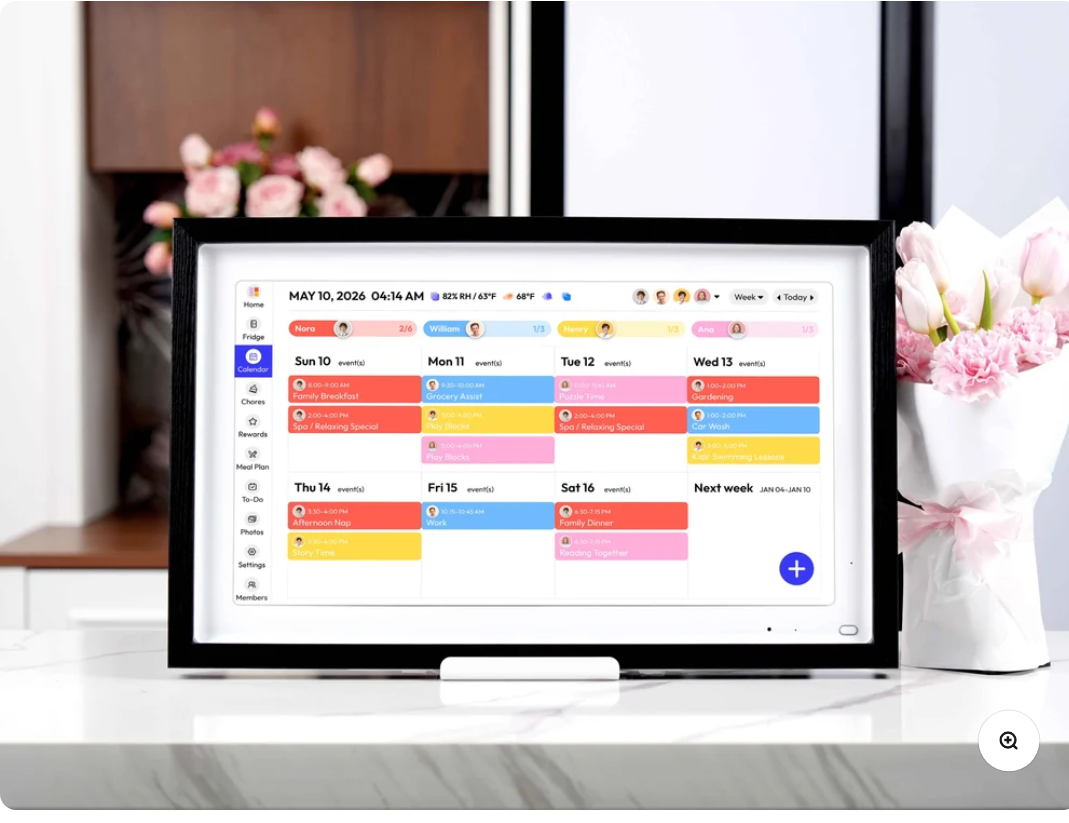
If you prefer a larger screen, the HomeCal is designed as a central family planning hub for wall or desktop placement.
The 21.5-inch display gives you more room to view schedules, meal plans, and household tasks without crowding everything onto a smaller screen.
What makes HomeCal different?
- Larger touchscreen: A more spacious display for shared household information.
- Calendar synchronization: Compatible calendar services include Google and Outlook.
- Family profiles: Color-coded schedules help distinguish activities belonging to different family members.
- Chore and reward systems: Household responsibilities can be organized into tasks and tracked over time.
- Meal planning and shopping lists: Keep weekly meals and grocery planning together.
- Additional entertainment features: The device also offers access to entertainment apps.
I can see why this format might appeal to families with children, multiple work schedules, or lots of weekly activities. A shared display can make it easier to see what's coming up without asking everyone to check their individual phones.
However, the larger model requires continuous power, so you'll need to think about placement and access to an outlet. It's also more expensive than FridgeCal.
Listed price: $349, compared with a displayed regular price of $699. Check the current price and available bundles before ordering.
FridgeCal vs. HomeCal: Which One Makes More Sense?
| Feature | FridgeCal 13.4-inch | HomeCal 21.5-inch |
|---|---|---|
| Best suited for | Compact kitchen organization | A central family planning station |
| Placement | Compatible refrigerator or surface | Wall or desktop |
| Power | Rechargeable battery | Continuous power |
| Display | 13.4-inch touchscreen | 21.5-inch touchscreen |
| Family calendar | Yes | Yes |
| Chore charts | Yes | Yes |
| Meal planning | Yes | Yes |
| Listed price | $249 | $349 |
Both models offer overlapping planning features, so the decision mainly comes down to how you want to use the device.
I'd lean toward FridgeCal if kitchen placement, portability, and a lower starting price matter most. HomeCal makes more sense if a larger shared display is the priority.
What I Like About the Everblog Concept
It brings everyday planning together
One of the strongest ideas behind Everblog is having schedules, chores, and meal plans in a shared location. This could reduce the need to maintain several separate lists.
It considers the whole household
Color-coded calendars and chore charts are practical features for families whose members have different schedules. The reward system may also help children participate in household responsibilities.
Food planning is more than an extra feature
Grocery lists and expiration reminders address a real everyday problem: keeping track of what you have and what you need. These features may be especially useful for households that plan meals ahead.
No monthly subscription for core features
Everblog states that its core smart-calendar features are available without a recurring subscription. That is worth considering when comparing the long-term cost with services that charge ongoing fees.
What Should You Consider Before Buying?
No smart calendar will automatically solve every organizational problem. Here are a few things I'd check before placing an order.
Setup and synchronization: Make sure the calendars you already use are supported and understand how events and updates sync between devices.
Screen size and placement: Consider where the calendar will be installed and whether everyone can comfortably read and interact with it.
Battery and power: FridgeCal needs recharging, while HomeCal requires continuous power. Choose according to where you intend to place it.
Customization: If you need specific calendar layouts, font sizes, or highly customized task workflows, check the current software options before buying.
Product support and warranty: Review the latest warranty, return terms, shipping information, and customer support arrangements on the official product page.
Customer feedback on the product pages is generally positive, but some reviewers also mention areas for improvement, including synchronization, customization, and battery life. Individual experiences can vary, so it's worth reading recent reviews rather than relying on the overall rating alone.
Is Everblog Worth It?
Everblog is worth considering if you want more than a traditional wall calendar and prefer to organize family schedules, chores, and meal planning on a shared touchscreen.
The FridgeCal is the more compact, rechargeable choice, while HomeCal offers a larger display for a dedicated family planning area.
The biggest question is whether you'll regularly use the extra features. If your current calendar system already works well, a smart display may be an unnecessary expense. But if appointments, chores, and grocery lists are scattered across different apps and pieces of paper, combining them could be useful.
Final Verdict
My assessment is that Everblog offers an interesting approach to household organization, particularly for busy families who want a shared view of their schedules and responsibilities.
I'd compare both models carefully, confirm the latest pricing, and check that the calendar services you already use are compatible before making a decision.
If you're interested in seeing the available models and current offers, start here:
Explore Everblog and use code : NGOHUYHOANG10 to save 30% All Products.
Always confirm the final price, shipping details, and return conditions on the merchant's website before purchasing.
This review is based on publicly available product information and customer feedback. It is not a claim of personal hands-on testing.